9HTTP



 8 min read


A site availability report is almost finished when the last row stalls — as it always does. Thirteen "RARBG proxy" links pulled from search results: half of them dead, the ones that load covered in ads styled to look like download buttons, and two redirecting to domains nobody recognises. The problem is rarely a shortage of links. It's a shortage of criteria for judging them. This article takes apart what people are actually looking for when they type "RARBG proxies," draws the risk boundary, and then gets to the practical part: how to pick a proxy IP setup and how to work out what it costs.
What RARBG Was, and Why "RARBG Proxies" Still Gets Searched
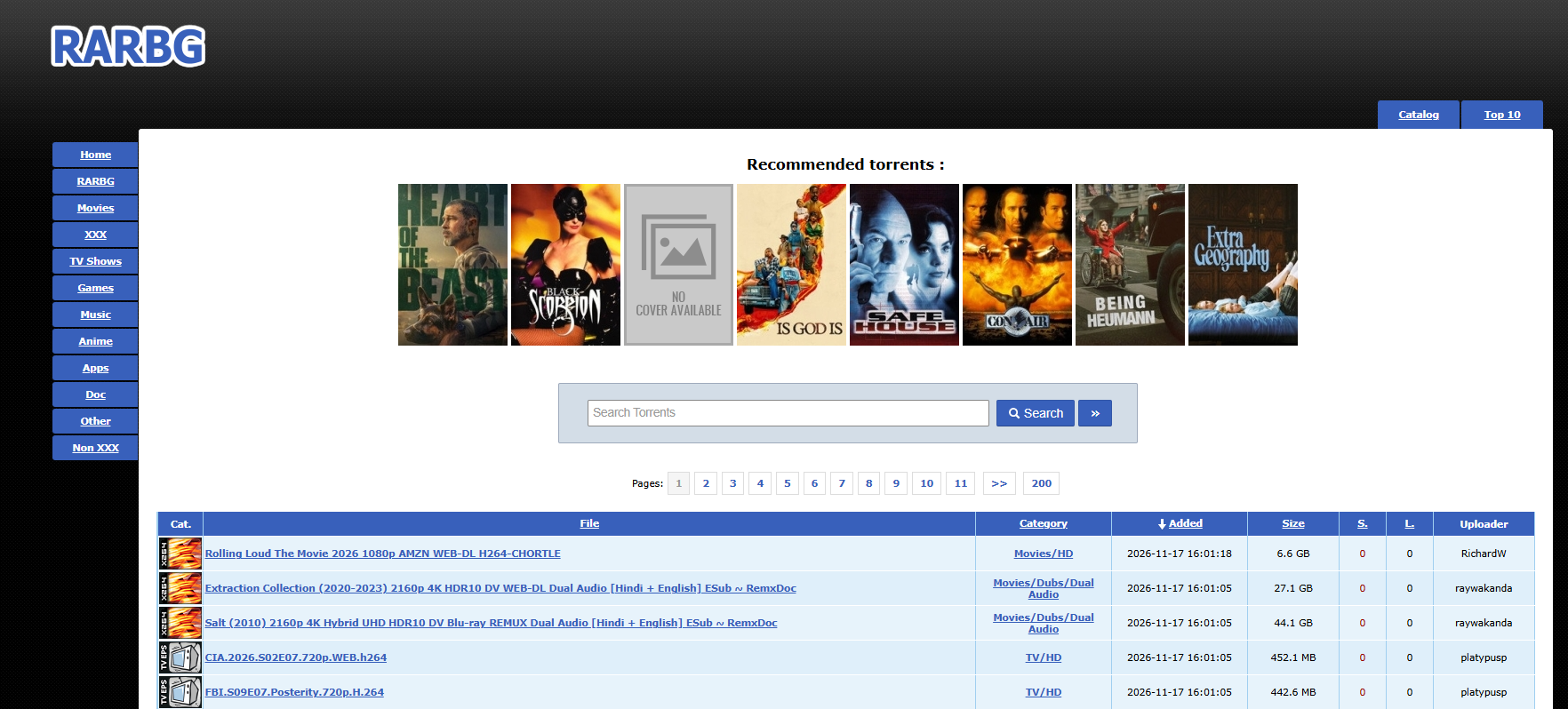
RARBG was a BitTorrent indexer that went live around 2008. Clean interface, well-structured listings, consistently among the most visited sites in its category. On 31 May 2023 the operators announced it was shutting down, citing rising server and bandwidth costs, health issues among team members, and sustained legal pressure. More than three years on, the official site remains offline.
By any reasonable logic, a site that has been down for three years should not hold steady search demand. It does, for three reasons.
The first is the momentum of old links. Tutorials, bookmarks and forum threads still carry the old domains and old mirrors. Users click, hit a 404, and drop the domain fragment into a search box — which keeps regenerating queries like "RARBG proxies" and "RARBG mirrors."
The second is that traffic businesses moved in. A domain and a keyword with value will attract lookalike registrations and auto-generated "latest working list" pages. The business model behind those pages isn't publishing content — it's capturing search traffic and selling ad slots, redirecting to promotional pages unrelated to the topic, and pushing installs of unidentifiable clients. The original team left long ago; these pages have nothing to do with it.
The third is a mislabeled need. Some searchers don't actually care about RARBG. The question they need answered is: "Can a given site be opened normally in a target region, is it returning the right content, and how long does it take to load?" That need is fundamentally about multi-region reachability and content consistency, and it has nothing to do with which site it happens to be — which is the part worth discussing.
Think of it this way: a shop closes, someone takes the signboard down and hangs it over a doorway on another street. The characters are the same. What's being sold inside, and who the owner is, has nothing to do with the original shop.
Three Risks Worth Calculating Before You Ask "Can It Open?"
Before any technical solution, put the risks on the table. Nothing here involves specific links — only how to judge them.
Copyright and legal exposure
A substantial share of what BitTorrent indexers aggregate is copyrighted film, series, software and games. A proxy is a network relay technology: it changes the egress IP of a request, not the licensing status of the content. In most jurisdictions, obtaining or distributing copyrighted works without authorisation carries clear legal risk, and the specifics vary considerably between countries and regions. 9HTTP does not provide, and does not recommend, using proxies to obtain infringing content. Every scenario below is discussed on a compliant basis.
Security
The tactics used by impostor mirror sites are well developed: ads styled identically to download buttons, forced redirects on click, bundled installers, and scripts embedded in the page to harvest credentials. You cannot verify who operates those pages, and you cannot hold them accountable. Put plainly, it's the equivalent of swiping your card at a counter you don't recognise.
Data and compliance
This one is the most damaging for enterprise buyers. Configuring some anonymous proxy just to "open a site" hands your entire egress path to an uncontrolled third party. What passes through it isn't only page requests — it may include cookies, session state, and authorisation headers for internal APIs. For teams doing cross-border business or handling user data, that configuration is itself a compliance exposure.
A minimum self-check: who operates this proxy, is the IP source traceable, and is there a clear logging and data retention policy? If any one of the three can't be answered, it doesn't belong in production.
What a Proxy IP Actually Solves
Set the specific site aside. The mechanics are simple: the request doesn't leave your machine directly. It goes to an intermediary node first, which issues the request to the target site on your behalf. The target sees the node's IP.
An analogy: changing lanes. You're driving somewhere; which lane you take is your call. A proxy lets you switch lanes at the exit, so whoever is standing at the junction sees the car from that lane. Whether you get through depends on the lane's capacity (bandwidth and concurrency) and whether the cars in it look normal (IP cleanliness).
By origin and usage, proxies generally fall into four categories:
| Type | IP source | Session behaviour | Typical use | Common billing |
| Datacenter proxies | Cloud / IDC ranges | Static, fast | Load testing your own site, low-sensitivity public data | Per IP or per GB |
| Dynamic Residential Proxies | Real home broadband | Auto-rotating, sticky available | Large-scale public data collection, SEO and ad verification | Per GB |
| Long Acting Static ISP | Genuine ISP ranges assigned by carriers | Static, stable long-term | Multi-store / multi-account operations, long sessions | Per IP, monthly |
| Mobile proxies | Cellular egress | Rotating or sticky | Mobile page verification, app scenario testing | Per GB or per port |
Why do residential and ISP IPs hold up better? Because in a target site's risk model, datacenter ranges are a well-known high-frequency source, while residential IPs belong to real broadband subscribers — inherently less suspect. Another way to picture it: an office desk (datacenter IP) seeing hundreds of different people come and go in a day is normal; a resident (residential IP) coming through the same door every day is normal.
Four metrics are enough to evaluate a proxy network:
- Availability: not "can I connect," but success rate measured by region and by time window. 9HTTP's service availability is 99.9%.
- Response time: directly drives collection throughput. 9HTTP's average response time is under 500ms.
- IP cleanliness: native ISP ranges or not, how heavily each IP is reused, blacklist hit rate.
- Session control: sticky duration and rotation interval. 9HTTP's Dynamic Residential Proxies support sticky sessions of 1–120 minutes, with city-level targeting.
Translating the Intent Into Compliant Workloads
If your search started with "RARBG proxies," the question actually worth answering is: what kind of work requires looking at the internet from a real network egress in another region? These six are the highest-volume use cases today, and the ones that hold up best under internal compliance review.
Cross-border data collection
In compliance with the target site's robots.txt and terms of service, collect only publicly visible page information for market research, competitor monitoring, and AI corpus preparation. These workloads are high-volume and widely distributed, which suits Dynamic Residential Proxies billed per GB.
Cross-border e-commerce multi-store operations
Bind one store to one fixed IP and keep the session stable over time, so that frequent IP changes don't trigger a platform risk review. This calls for Long Acting Static ISP, not rotating residential proxies.
Ad verification
The real fear for advertisers isn't missing impressions — it's impressions served to the wrong region. Issue requests from the target country or city and verify landing page content, creative version, and redirect chain against the campaign configuration.
Price and sentiment monitoring
The same product can be listed at very different prices across sites and currencies, and promotions go live at different times. Only scheduled collection from local egress points produces a complete price curve.
Brand protection
Detecting counterfeit goods, stolen assets, and unauthorised storefronts requires viewing public pages repeatedly across regions, as an ordinary visitor would. If your original purpose was to confirm whether your own content is being distributed without authorisation, this is the legitimate use of a proxy: not taking someone else's content, but checking whether someone has taken yours.
Your own site's reachability and performance testing
This answers the question from the opening. What you actually need to confirm is: "Does my site or landing page open correctly in a given region, and is it returning my content?" Using your own domain as the target and your own proxy nodes as probes is the approach that stays repeatable, auditable, and defensible.
Choosing a Provider: Turn the Metrics Into Questions
Abstract adjectives are worthless in a vendor conversation. Take this table and ask the questions directly — the answers will tell you a lot.
| Dimension | What to ask | Why it matters | Common deflection |
| Coverage and targeting | Country, state/province, city, or ASN level? | Targeting granularity determines whether results are credible | "Global coverage" with no city list |
| Availability | Measured by region and time window? Sample size and methodology? | A global average hides collapse in the regions you care about | "Highest availability" instead of per-region data |
| IP cleanliness | Native ISP ranges? Reuse frequency per IP? Blacklist self-check available? | Directly determines block rates and account safety | Treating "residential IP" as "clean IP" |
| Session control | Maximum sticky duration? Custom rotation intervals? | Long jobs need continuity; bulk jobs need fast rotation | Fixed rotation only, no sticky option |
| Concurrency and rate | Per-IP QPS ceiling? Can ports be scaled? | Without concurrency, cheap bandwidth still runs idle | Reporting total bandwidth, not per-IP limits |
| Billing model | Per GB, per IP, or per port? Any minimum commitment? | A mismatch between billing and workload shape eats the budget | Low-cost entry tier plus steep overage tiers |
| Compliance and traceability | Is IP sourcing user-consented? Logging policy? | A procurement precondition for enterprise buyers | Avoids the question of IP sourcing |
| Integration and support | Full API/SDK with working samples? Ticket response time? | Determines time-to-launch and ongoing ops cost | A doc index with nothing runnable |
9HTTP's Dynamic Residential Proxies are billed per GB from $0.22/GB; Long Acting Static ISP is billed per IP from $2.50/IP per month; Unlimited Residential Proxies come in a bandwidth edition from $33.3/day and a port edition from $0.9/port/day. Work out your workload shape first, then match it against the billing model — that beats comparing unit prices in isolation.
Hands-On: A 30-Minute Reachability Check
This workflow suits monitoring your own site, verifying ad landing pages, and piloting public page collection. It only touches publicly accessible pages and involves nothing that requires authorisation to obtain.
Step 1: Draw the boundary first. Define the target domain, the paths you're allowed to request, and a request-rate ceiling. For third-party sites, read robots.txt and the terms of service first; if the terms don't allow it, don't do it. Technical feasibility and compliance permission are two different things.
Step 2: Pick the protocol. For HTTP/HTTPS traffic only, an HTTP proxy is sufficient. If you need non-HTTP protocols or lower-level forwarding, use SOCKS5. 9HTTP supports both.
Step 3: Get credentials. Pull the endpoint, username and password from the dashboard — usually under a minute.
Step 4: Prove the single path. Confirm the route works and measure the round trip with one command:
curl -x http://USERNAME:PASSWORD@global.9http.com:9091 \
  -A "Mozilla/5.0 (Windows NT 10.0; Win64; x64)" \
  -s -o /dev/null \
  -w "status=%{http_code} time=%{time_total}s\n" \
  https://your-target-domain/
Step 5: Run a small pilot. Pick three priority regions, send 50–100 requests per region, and record success rate, P95 latency, and the distribution of error codes. The goal is a baseline, not saturating bandwidth.
Step 6: Define the session strategy. For workflows that need continuous login state or paginated continuity, hold the same IP for the duration of the task with a sticky session — 9HTTP offers sticky durations from 1 to 120 minutes, set to the task length. For pure list-style bulk collection, use rotation and retire each IP after a small number of requests.
Step 7: Add backoff, not concurrency. On a 429 or 403, slow down and apply exponential backoff (1s, 2s, 4s…), then determine whether it's an IP problem or a request-fingerprint problem. Raising concurrency blindly only widens the block.
Step 8: Keep records and review. Break failures down by region, by ASN, and by time window. A table showing which region started failing at what hour is worth more than any monitoring wall. See the proxy API documentation for parameters and calling conventions.
Six Common Mistakes
Checking whether it opens, not whose content comes back. A 200 status code doesn't mean the page is correct — impostor sites return 200 too. The test should be a content fingerprint: title, key DOM structure, copyright notice, and whether asset domains match expectations.
Running production workloads on anonymous free proxies. The cost of a free proxy was never in its price; it's in data leakage, contaminated results, and being impossible to debug. Once it's in production, the troubleshooting cost far exceeds what you saved.
Attaching multiple accounts to one IP. This is the single most common cause of linked-account bans in multi-account operations. Bind accounts to IPs one-to-one and keep it stable over time.
Setting a rotation interval shorter than the task cycle. A workflow that takes 20 minutes with a 5-minute rotation will lose its session every time — and get flagged as anomalous behaviour by the target site.
Mismatching billing model to workload shape. Running large-volume collection on per-IP billing, or buying per-GB plans for a scenario that only needs five static IPs, both send unit costs out of control.
Ignoring the target site's rate limits. Many sites state an acceptable request frequency in their terms. Exceeding it doesn't just get an IP blocked — it can trigger action at the account level.
FAQ
Is RARBG still accessible?
The official site ceased operations on 31 May 2023. The team cited operating costs, member health, and legal pressure. Pages currently appearing under the name "RARBG proxies" are overwhelmingly unrelated to the original team — third-party registrations and traffic-farming pages. We do not provide access support for such sites.
Is it legal to use a proxy to reach these mirror sites?
That depends on the specific rules of your jurisdiction and on the content you're accessing. A proxy is only a network relay technology; it does not change the licensing status of content. Where copyrighted works are involved, obtaining or distributing them without authorisation carries legal risk in most regions. Consult local regulations and qualified legal advice.
Per-GB or per-IP billing — which should I choose?
It depends on workload shape. For high-volume, widely distributed tasks where each IP is retired quickly, per-GB billing is more economical — that's Dynamic Residential Proxies. For scenarios that need to hold the same egress long-term and account for cost per account or per store, per-IP billing is more controllable — that's Long Acting Static ISP. The deciding question is how much IP time a unit of business consumes, not the unit price.
How do I tell whether a proxy IP is "clean"?
Four actions: check the ASN (residential/ISP range or datacenter range), check public blacklist hits, inspect how heavily that IP is reused, and run a small-sample pilot to see the real success rate. Skip any one of them and cleanliness rests on the vendor's word alone.
How many IPs and how much bandwidth do I need for data collection?
Estimate bandwidth as daily request volume × average response body size ÷ compression ratio, then add a 30% buffer. Estimate IP count as target QPS ÷ sustainable QPS per IP, with the same buffer. Start on a small plan for one week of real data, then scale against measured values — far more accurate than upfront estimation.
Final Thoughts
Back to the original question: is a given "RARBG proxy" link worth clicking? The criteria have nothing to do with the link itself. First ask who operates the page, whether the returned content can be verified, and whether the access behaviour sits inside a compliant boundary. Answer all three and then talk about implementation. If you can't, no proxy will turn it into a good idea.
What's worth investing in is turning "looking at the internet from real network egress in multiple regions" into a repeatable, auditable capability: stable IP resources, controllable session strategy, a clear billing model, and documentation that actually runs. For where each product fits, work through the proxy selection guide item by item.
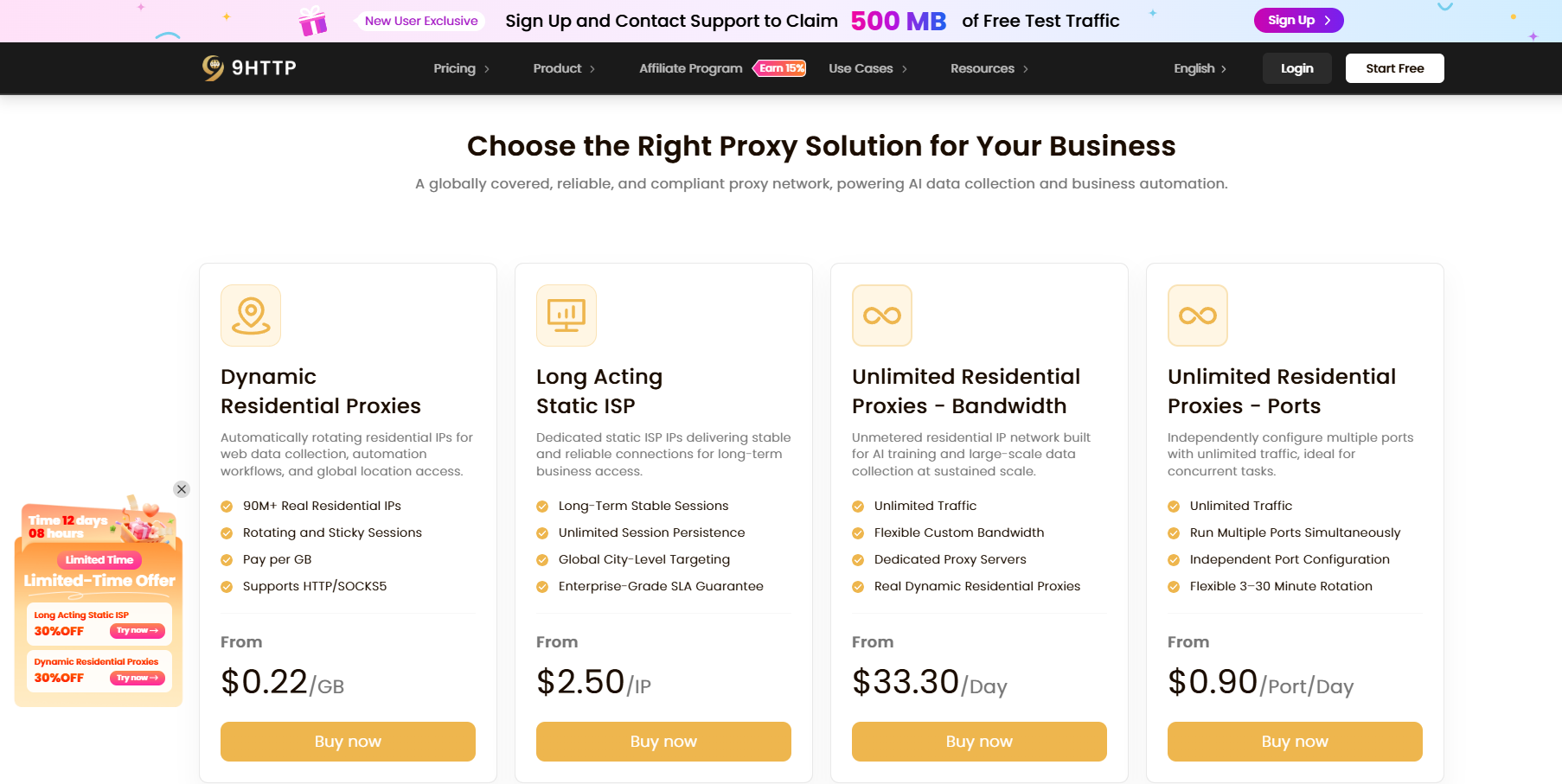
Want to verify before you commit? Create a 9HTTP account and contact support to claim 500MB of free trial traffic.
- 195+ countries and regions, 90M+ real residential IPs, city-level targeting, 99.9% service availability, average response time under 500ms.
- Dynamic Residential Proxies from $0.22/GB; Long Acting Static ISP from $2.50/IP; Unlimited Residential Proxies from $33.3/day (bandwidth edition) and $0.9/port/day (port edition). Pay as you go.
- HTTP/SOCKS5 support with a full API, multi-language code samples, and a real-time monitoring dashboard — integration cost stays contained.
This article discusses compliant use cases only and provides no mirror site addresses, torrent files, or download links. When accessing third-party sites, comply with their robots.txt and terms of service; where copyrighted content is involved, follow the laws of your jurisdiction. This article is not affiliated with RARBG or its former operators.