9HTTP



 2 phút đọc


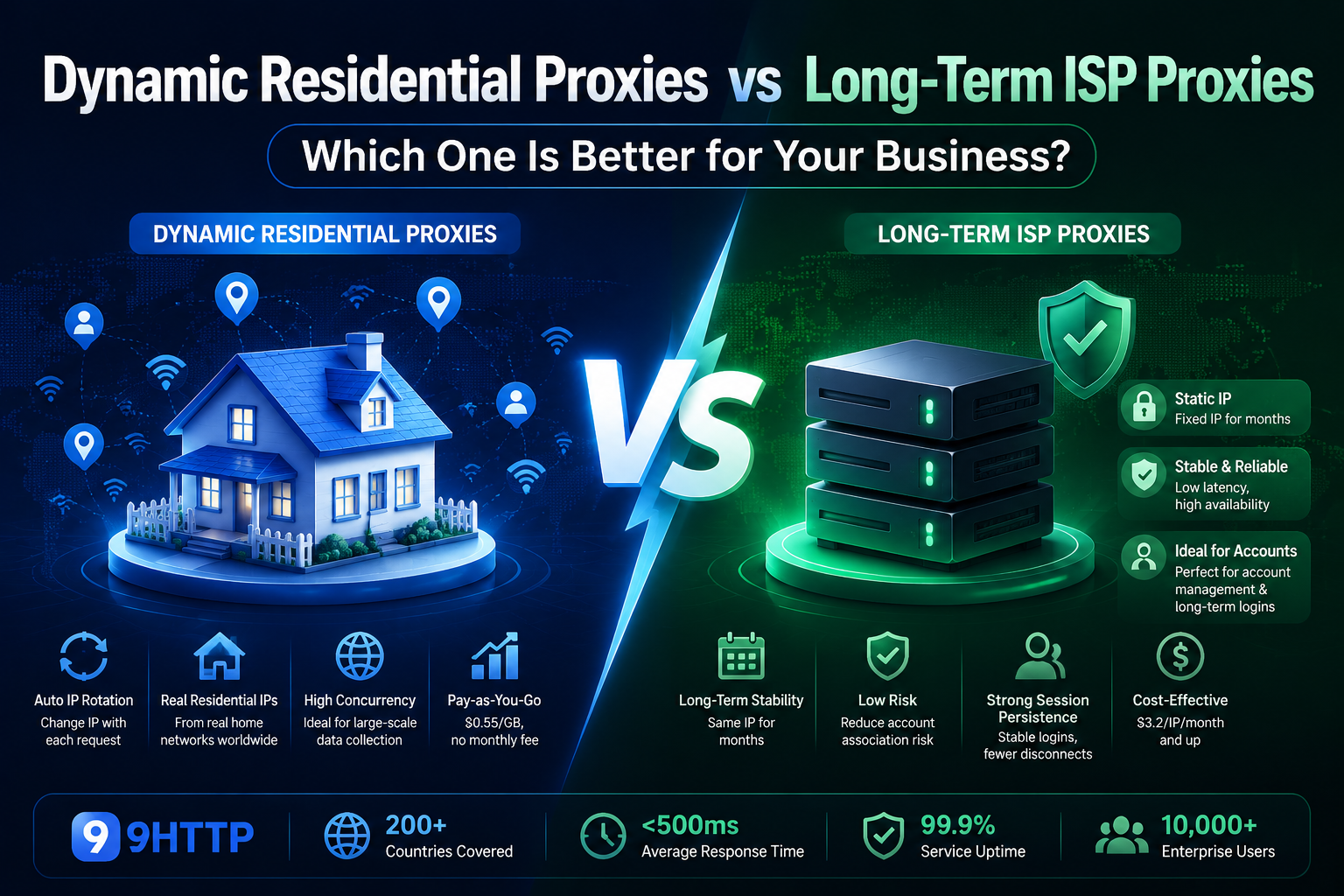
Choose static ISP proxies when you need the same IP for ongoing work, such as managing an online store or retesting a website from the same location. Choose rotating residential proxies when you need to rotate IPs or collect public data from multiple locations.
Start with how long you need to keep an exit IP, which locations your task requires, and whether you want to budget per IP or per GB. The table below compares 9HTTP's two products on those terms.
How 9HTTP's Static ISP and Rotating Residential Proxies Compare
| Feature | 9HTTP Static ISP Proxies | 9HTTP Rotating Residential Proxies |
| Exit IP | Dedicated IP that stays the same for a 30-day service term | Rotate IPs or keep the same IP during a sticky session, subject to session settings and endpoint availability |
| Location | Choose an available location for each IP; selection depends on current inventory | Target different locations as needed, subject to the selected plan and available IPs |
| Pricing | Per IP for a 30-day term | Per GB; traffic validity depends on the plan |
| Best for | Store management and repeat testing from the same IP | Multi-region price monitoring and local search result checks |
These are the terms of the corresponding 9HTTP products. Other providers may use different service periods, session settings, and billing rules.
What Are Static ISP Proxies?
ISP proxies use IP resources assigned by Internet Service Providers. With a static ISP proxy, you keep a fixed exit IP over the agreed service period. For more background on the network architecture, see What Is an ISP Proxy?.
9HTTP calls this product Long Acting Static ISP. It provides dedicated IPs on a 30-day service term, with pricing based on the number of IPs you purchase. You choose from the locations with available inventory.
A fixed IP is useful when you return to the same workflow each day. For example, a store operator can use the same exit IP for routine management, while a QA team can use a fixed regional IP to repeat a website test after a release. If you need another location, select an additional IP from the available inventory.
Keeping an IP fixed over a service term is different from keeping a website login active. The website still controls authentication and session expiry.
What Are Rotating Residential Proxies?
Rotating residential proxies route requests through IP addresses associated with residential networks. They let you change exit IPs according to your rotation settings and select locations for regional tasks.
9HTTP calls this product Dynamic Residential Proxies. It supports both rotating and sticky sessions:
- Use rotation when separate requests can use different exit IPs, such as collecting public product prices across markets.
- Use a sticky session when a short sequence of requests needs the same IP, such as loading a page and following its regional links.
A sticky session temporarily retains an IP according to the session settings and endpoint availability. It does not provide the same long-term IP allocation as a static ISP proxy. Check the supported session duration for your chosen configuration before starting a task that depends on IP continuity.
Dynamic residential proxies are billed per GB. Traffic validity depends on the plan, so check both the traffic allowance and its validity when estimating costs. Available locations and targeting options also depend on the selected plan and current IP availability.
Which Proxy Type Fits Your Task?
Use Static ISP Proxies for Ongoing Work from the Same IP
Choose static ISP proxies when returning through the same exit IP is part of the task:
- Manage an online store each day through a consistent network endpoint.
- Retest a website or localized product experience from the same regional IP after each update.
- Repeat checks on an advertising landing page from a fixed exit IP to make the network conditions more consistent between tests.
Before buying, confirm that the required location has stock and decide how many dedicated IPs you need for the 30-day term. Review renewal arrangements if the workflow must continue beyond that period.
Explore Static ISP Proxies or check available locations and per-IP pricing.
Use Rotating Residential Proxies for Multi-Location Research
Choose rotating residential proxies when your task needs flexible IP changes or access from several markets:
- Compare public product prices, availability, and promotions across regions.
- Check local search results for target keywords in different markets.
- Verify regional advertising content and landing pages across multiple locations.
- Collect public market data through requests that do not need to share one long-term exit IP.
For a multi-step check, use a sticky session if the steps need a consistent IP within the supported session window. When budgeting, estimate traffic from request volume, page size, and collection frequency, then check the selected plan's traffic validity.
Explore Dynamic Residential Proxies or compare traffic plans.
Use Both When Your Workflows Have Different Requirements
An e-commerce team may use a static ISP IP for daily store management and rotating residential proxies to compare public prices in several markets. An advertising team may use a fixed IP for repeated checks in one location and rotating residential proxies for a broader regional review.
Assign each workflow according to its IP continuity and location requirements. Before scaling, run a small test on the actual target pages to check the detected location, session behavior, and traffic use.
Choose Your Next Step
Need a dedicated exit IP for ongoing work? View Static ISP Proxies. Need IP rotation and flexible regional access? View Dynamic Residential Proxies.